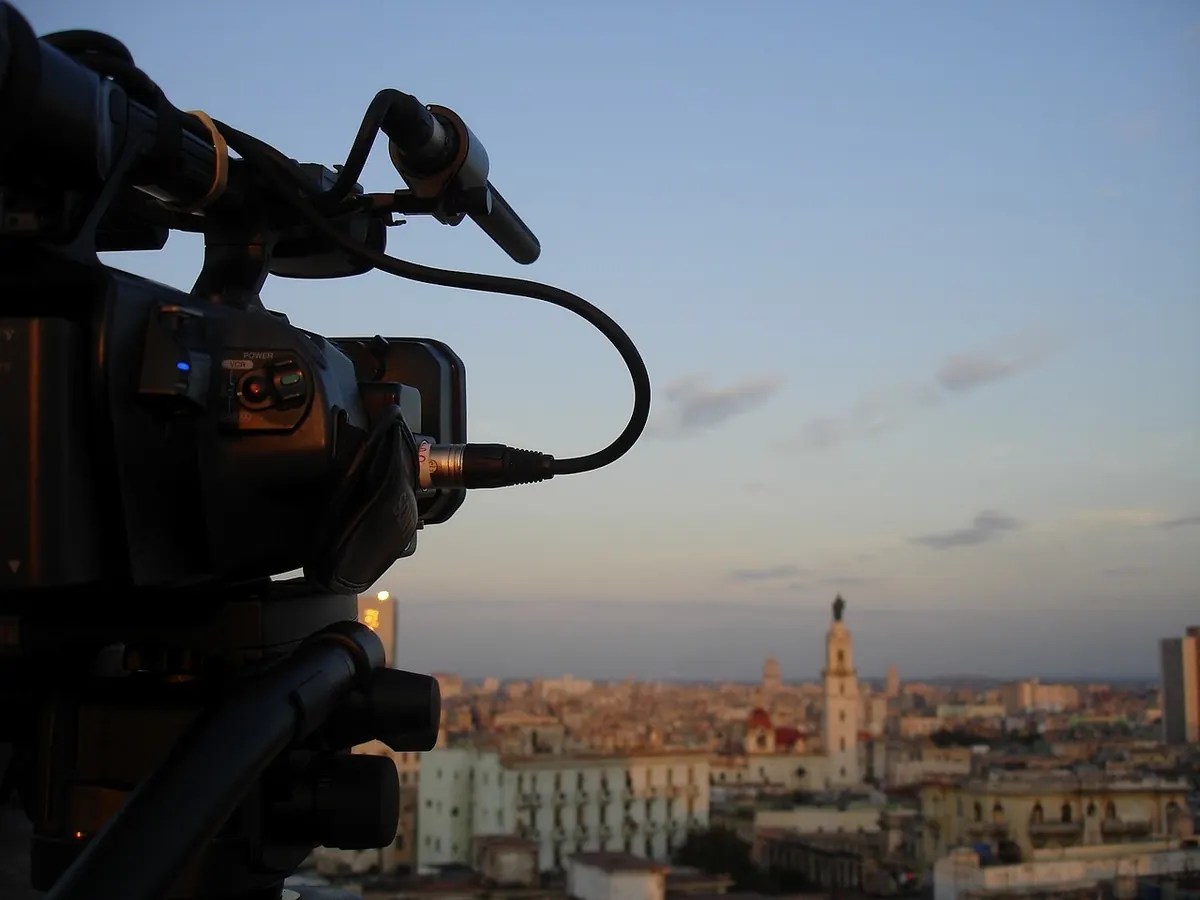
How to Photograph a Sunset Without Blowing Out the Sky
You see it happen all the time. The sky is doing something extraordinary, you raise the camera, press the shutter, and the screen shows a pale, washed-out rectangle where the orange used to be. The foreground looks fine. The sky looks like a blank sheet of paper. Nothing is wrong with your camera. You have simply run into the oldest problem in landscape photography: the sky is much brighter than everything else in the frame, and the camera has to choose which one to favor.
The good news is that this is a solvable problem, and solving it does not require expensive gear. It requires a few settings, a habit of checking the right screen, and a willingness to take more than one frame.
Why the sky burns out before anything else
A camera can only record a limited range of brightness in a single exposure. At sunset, the brightest part of the sky—especially anywhere near the sun—can be many times brighter than the hills, water, or buildings below it. The camera has to translate that enormous range into a file, and something has to give.
Left to its own judgment, the camera meters the whole scene and aims for a middle-gray average. That is a sensible default for a portrait in open shade, and a terrible one for a sky full of red and orange. The bright clouds get pushed past the point where the sensor can record detail, and once that happens the data is gone. In a JPEG it is gone for good. In a RAW file you may recover a little, but a blown highlight stays stubbornly white.
So the working principle for every sunset is simple: expose for the brightest thing you care about, and let the shadows fall where they may. Shadows can be lifted. Highlights cannot be rebuilt.
Settings that protect the sky
Switch to RAW if you can. It will not save a badly overexposed frame, but it gives you far more room to pull detail out of both the highlights and the shadows. Then take manual control of the exposure triangle.
- Set ISO to its base value. Usually 100 or 200. Low ISO keeps noise down and protects the subtle gradations of color that make a sunset look like a sunset.
- Choose an aperture around f/8 to f/11. That is the sweet spot for most lenses: everything from foreground to horizon reasonably sharp, without the softening that creeps in past f/16.
- Use shutter speed as your brightness control. In manual mode, the shutter is the dial you turn to make the image brighter or darker. A tripod lets you go slow enough to use f/11 at ISO 100 without shaking.
- Turn on the highlight warning (sometimes called blinkies or zebras). Blown areas will flash on the preview. It is the fastest feedback you will get in the field.
- Dial in negative exposure compensation if you are shooting in an automatic or semi-automatic mode. Start at minus one stop and adjust. Most sunset scenes want somewhere between minus one and minus two stops compared with what the meter suggests.
Another reliable trick: switch to spot metering and read the brightest cloud that still has color in it, then drop the exposure by roughly one stop from that reading. Or point the camera at the sky, note the settings, and recompose with those locked in.
A starting recipe for a typical sunset
ISO 100, f/11, tripod, RAW, manual mode, highlight warning on. Take a test frame. If the sky flashes, shorten the shutter. If the histogram sits far from the right edge and the whole image looks gray and dull, lengthen it slightly. Two or three test frames will teach you more than any formula.
Learn to read the histogram, not the preview
The image on the back of the camera is a bright little screen designed to look appealing in daylight, and it lies to you. The histogram tells the truth.
You want the bright end of the histogram to approach the right edge without piling up against it. A small touch at the edge is fine. A tall wall of pixels jammed into the far right means you have lost detail you cannot get back.
Then check the color channels, which most cameras can display separately. In a sunset, the red channel usually clips first—reds are intense and the sensor gives them less headroom than you would expect. If the red channel is crushed against the right side while the overall brightness looks acceptable, pull the exposure back a stop. Otherwise your orange clouds will turn into flat pink patches with no texture.
One exception worth knowing: if the sun itself is in the frame, let the disc clip. It is a light source, and a pure white sun looks natural. Protect the clouds and color around it, not the ball of fire.
Bracket when the range is simply too wide
Some scenes are beyond a single frame—a bright sky above a dark valley, or a sunlit horizon with a shadowed foreground. This is where bracketing earns its keep. You take several identical frames at different exposures and combine them later.
Set the camera on a tripod, keep the aperture and ISO fixed, and change only the shutter speed. Focus once manually and do not touch the ring again. Then shoot a sequence: one frame exposed for the sky, one for the foreground, and one or two in between. A three-frame bracket at one-stop intervals handles most sunsets; five frames at two-stop intervals handles the extreme cases.
Back at the computer, you have two options. An HDR merge is quick and does most of the work. Manual blending—painting the darker sky frame over the brighter foreground frame with a mask—takes longer but keeps the result looking like a photograph rather than a special effect. Whichever route you take, aim for a sky with color and texture, not a glowing alien landscape. If the colors look unnatural, the blend is too aggressive.
No tripod? Take one frame exposed for the sky, then lift the shadows carefully in editing. Modern sensors hold more shadow detail than you might expect, though noise comes with it.
Filters that genuinely help at sunset
Filters are not mandatory, but a couple of them make the job easier.
- Graduated ND: a filter that is dark at the top and clear at the bottom, it holds back the sky while leaving the land untouched. A soft-edged version suits irregular horizons like trees or hills; a hard-edged one suits a flat sea horizon. Two or three stops covers most situations.
- Reverse graduated ND: designed for that moment when the sun sits just above the horizon, with the brightest band low in the frame. It darkens the middle of the filter most, which matches the light better than a standard grad.
- Polarizer: deepens blue sky and saturates color, and it removes glare from water and wet sand. Be careful with very wide lenses—the effect varies across a wide sky and can produce an odd uneven band. Rotate slowly and stop when the sky looks richest, not when the filter is turned to maximum.
- ND for long exposures: a strong neutral density filter lets you stretch the shutter to several seconds, smoothing water and streaking clouds. Check the color cast on a test frame; some filters add a magenta or green tint that needs correcting.
Do not stack more than two filters if you can help it, and take off any plain UV filter first. Extra glass in front of the lens invites flare exactly when the sun is pointing at you. Use a lens hood, and shade the front element with your hand if a ghost image appears.
The last ten minutes matter most
The most saturated color rarely arrives while the sun is still visible. It comes a little after it slips below the horizon, when the clouds catch light from underneath. Stay put. Many photographers pack up at exactly the wrong moment and miss the best sky of the evening.
Keep your white balance set to daylight rather than auto, so the colors stay consistent from frame to frame and you can adjust them deliberately later. Include something in the foreground—a silhouette, a shoreline, a line of trees—so the sky has a stage to sit above. And resist the urge to oversaturate in editing. A little restraint keeps the gradients smooth and stops the color from breaking into bands.
A field routine you can repeat
Arrive early, set the tripod, and dial in ISO 100 with f/11. Turn on the highlight warning and take a test frame. Check the histogram, not the preview, and shorten the shutter until the bright edge stops piling up. If the scene is extreme, bracket three frames a stop apart. Add a graduated filter if the horizon allows it. Then stop fiddling and watch the light—adjusting a stop or two as the sky changes, and taking a frame every few minutes as the color builds.
That routine takes five minutes to learn and will keep the color in your sunsets where it belongs: in the photograph, not in a white patch on the back of your camera.
Photo: DrMAURO / Pixabay